This guide explains how an Amsterdam resident arranges discounted parking for guests with a visitor’s permit, worth up to 150 hours a quarter at 35% to 100% off, depending on the area.
Our analysis of the city’s register counts 261,299 on-street parking spaces in Amsterdam, 90% of them in paid-parking areas, so a visitor without a session almost always pays; the full breakdown is in our Amsterdam parking permit guide.
Who this is for
Amsterdam residents with a parking permit can register a guest’s car for a paid parking session in their zone, instead of the visitor hunting for a meter or risking a ticket.
This only works if the resident already holds a visitor parking permit or a kraskaartvergunning, the visitor’s permit for people aged 65 or over or with a disability, applied for through the municipality.
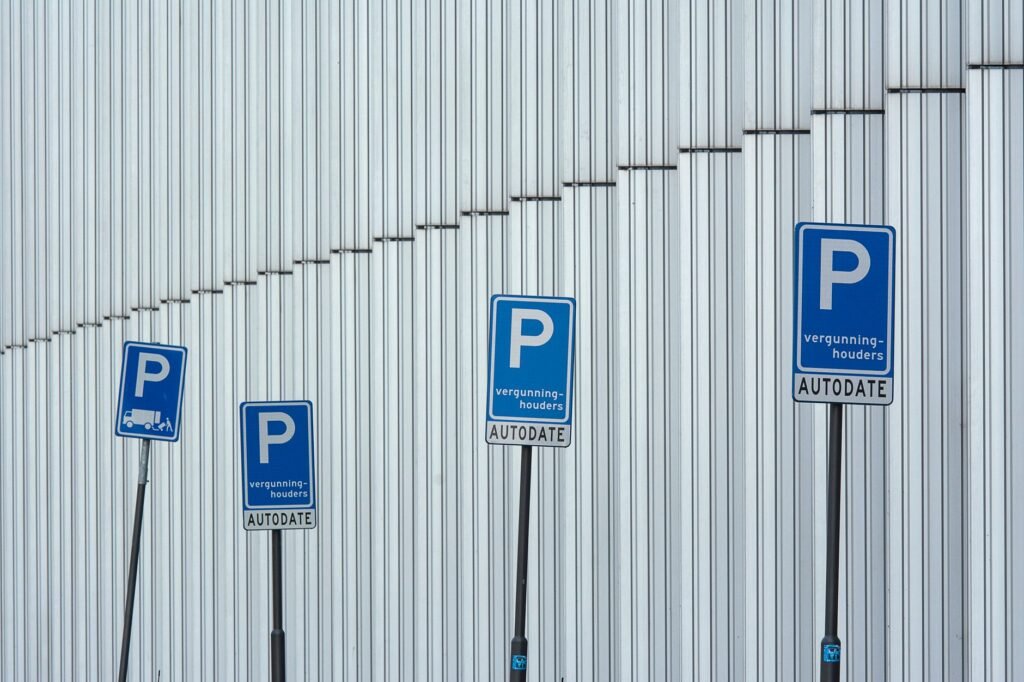
The general visitor’s permit is available in every district except most of Centrum: in Centrum only areas 3 and 4 qualify, with a 35% discount, against 65% in Noord, Oost, Weesp, West, Zuid, Zuidoost and most of Nieuw-West, and 100% in Nieuw-West 6.
For the basics of who qualifies and how residents get their own permit in the first place, see Amsterdam Parking Permit Guide For Residents And Visitors.
Getting the login codes
Every visitor permit comes with a meldcode and a pincode, not a login you choose yourself.
Find them by logging into Mijn Parkeren on amsterdam.nl with DigiD and opening the permit; the codes are listed on that page.
Registering a guest’s car
With the codes in hand, go to the Aanmelden Parkeren website or the Amsterdam App, log in, and start a parking session.
Enter the start and stop time and the guest’s license plate; foreign plates work too, but save a foreign plate online or in the app first if you want to register by phone.
You can plan a session up to 24 hours in advance or stop it early, and you can also start or stop one by phone on 020 215 0077 once your phone number is registered.
What it costs
The system shows the exact cost for the chosen time window before the session is confirmed, since visitor parking is billed against the resident’s own account balance rather than a fixed guest fee.
Rates differ by area and by day, so the true number to check is whatever the booking screen quotes for that zone and that day.
A fuller breakdown of current tariffs and permit types is covered in Amsterdam Parking Permit Guide For Residents And Visitors.
You can buy a maximum of 150 discounted hours per quarter.
Letting a guest pay for themselves
A resident doesn’t have to book every visit personally.
A separate visitor account, with its own permit code and PIN, can be handed to up to five guests at a time, and you decide how many hours they may use.
They then start and pay for their own session through iDEAL or Wero; they can extend it but cannot stop early for a refund.
Saving frequent visitors
For guests who come back often, license plates can be saved to the permit online or in the app, so the resident doesn’t have to retype them each visit.
Where the car is actually allowed to park
A visitor session only covers the zone tied to that specific permit, and it is not valid in car parks, 10-cent zones or blue zones; parking outside it is not covered and can still be fined €79.10 plus at least an hour of parking fees.
Enforcement is by scanning the license plate, so nothing needs to be displayed inside the car itself.
Blue zones and other exceptions
Some streets run as a blue zone rather than the paid-permit system, which needs its own separate exemption (ontheffing) rather than a visitor parking session.
The general rules for driving and parking around the city, including where permits and blue zones apply, are set out in Driving In Amsterdam: Rules, Parking, And Practical Tips.
Parking for a concert or match
None of the above applies near the Johan Cruijff ArenA, Ziggo Dome or AFAS Live on an event night: those venues run a separate event-rate system at the surrounding garages and lots.
Details on entry, payment and reserving a spot for a specific event are covered in Parking at the Johan Cruijff ArenA for a Concert or Match.
If a guest would rather not drive
For a one-off visit, it’s worth weighing a permit session against the cost and hassle of finding a spot at all; the Amsterdam Public Transport Guide For Visitors covers the alternative of leaving the car out of it entirely.
Frequently Asked Questions
How many visitor parking hours do I get in Amsterdam?
You can buy up to 150 discounted hours per quarter with a visitor’s permit.
The discount depends on your area.
Can I get a visitor parking permit in Amsterdam Centrum?
Only in Centrum areas 3 and 4, where the discount is 35%.
Most of Centrum is excluded.
Can my guest pay for their own parking?
Yes.
Set up a separate visitor account and give its code and PIN to up to five guests, who then pay by iDEAL or Wero.